My Note-Taking System Is a Mess, and That's OK
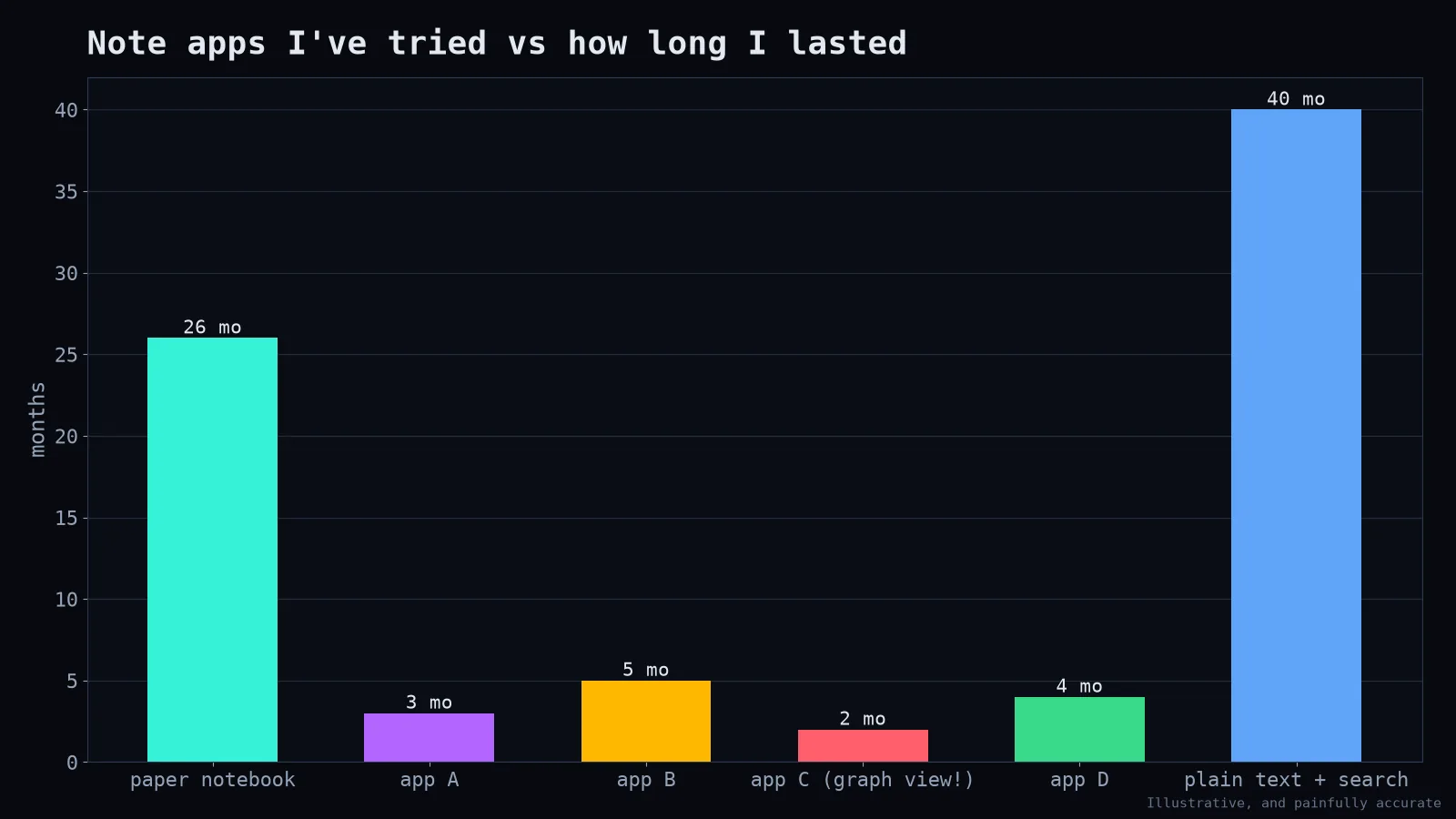
I have tried a lot of note-taking apps. I've tried methods with names, methods with books and methods with YouTube channels. I once spent a whole weekend designing a perfect tag hierarchy, then never used half the tags. My notes graph looked like a galaxy. I still couldn't find the thing I wrote last Tuesday.
What I learned from the mess
The system isn't the goal. Building the perfect note system is an extremely satisfying way to avoid doing the actual work the notes are for.
Capture must be effortless. If writing something down takes more than a few seconds, I don't do it. The best capture tool is the one that's always open.
Search beats organisation. I used to organise notes carefully into folders. Now I mostly search. Modern search is good enough that structure matters much less than I thought.
Notes I never revisit are just a diary. Which is fine, but it's not a "second brain."
What survived
1. One inbox for everything. A single file (or note) where quick captures go: ideas, to-dos, links, half-thoughts. No sorting at capture time.
2. One note per project. For each active project, one document with context, decisions, links and next steps. Not a hierarchy; just one place to look.
3. Daily notes, loosely. A date-named note where I jot what I worked on and anything I'll need to remember. Useful for standups, weekly reports and "when did we decide that?"
4. Plain text (Markdown). Files I own, that open in any editor, that will still be readable in twenty years, and that I can search with grep:
grep -ril "retention dashboard" ~/notes | head5. A weekly 15-minute tidy. Empty the inbox: turn items into tasks, move useful bits into project notes, delete the rest. Without this, the inbox becomes a landfill.
For research specifically
Paper notes follow a small template (summary, method, results, limitations, how it relates to my work). Citations live in a reference manager, not in my notes. That separation saved my thesis-writing sanity.
About AI note tools
AI tools that summarise meetings or search across notes can be genuinely useful, especially for transcripts. But they don't replace the thinking that happens when you write notes in your own words. Writing is thinking. Outsourcing all of it outsources the understanding too.
Permission to be messy
If your notes are messy but you can find what you need and you're getting your work done, your system works. Don't let anyone with a beautiful knowledge graph convince you otherwise. The best system is the one you'll actually use on a busy Wednesday afternoon, with three things on fire and a meeting in four minutes.