calTerm: Your macOS Calendar in the Terminal
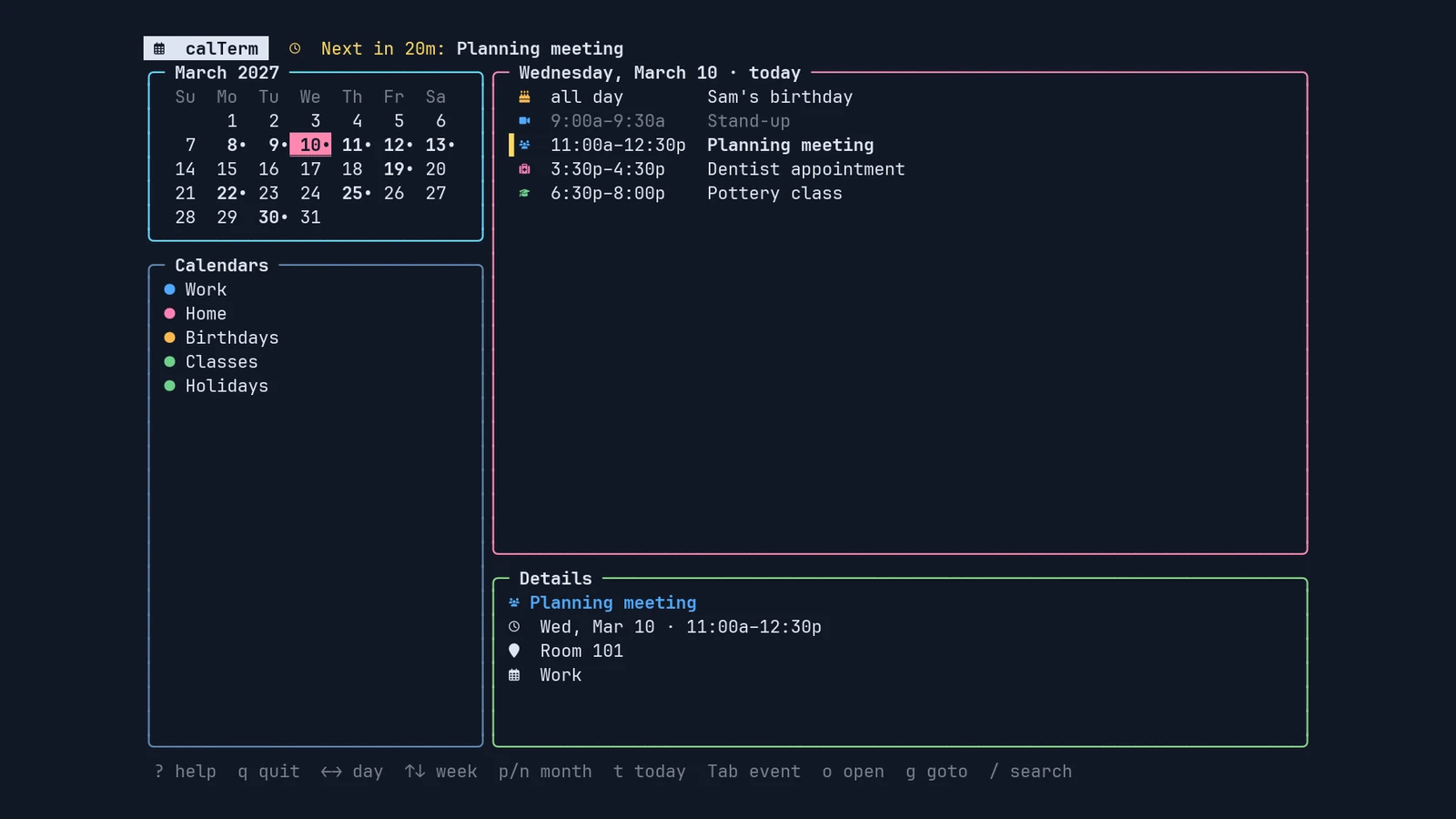
I did not want to leave the terminal to answer one small question: what is on my calendar? So I built calTerm, a command-line view of the macOS Calendar. The command is two letters: ct.
About the screenshots. Every event in them is invented. They are drawn by calTerm's own display code from sample data, not from my calendar.
It started with an old favourite
The tool people usually point to for this is icalBuddy by Ali Rantakari. It is a lovely idea, but its last commit is from 2014 and it is written against Apple frameworks that have since been deprecated. Rather than patch it, I started again in Swift using EventKit, the current calendar framework. Credit for the idea goes to icalBuddy.
Install
brew install SOFTowaha/tap/caltermYou need macOS 14 or later and Xcode 16 or later, because Homebrew builds it from source. The first time you run ct, macOS asks whether your terminal may access your calendars. If Homebrew asks you to trust the formula first, run brew trust --formula softowaha/tap/calterm.
It shows whatever is already in the Calendar app, so iCloud, Google and Exchange accounts added there need no extra sign-in.
The week, as a grid
ct week draws hours down the side and days across the top. Each event is a block as long as the meeting, in its calendar's colour, and overlapping events sit side by side.
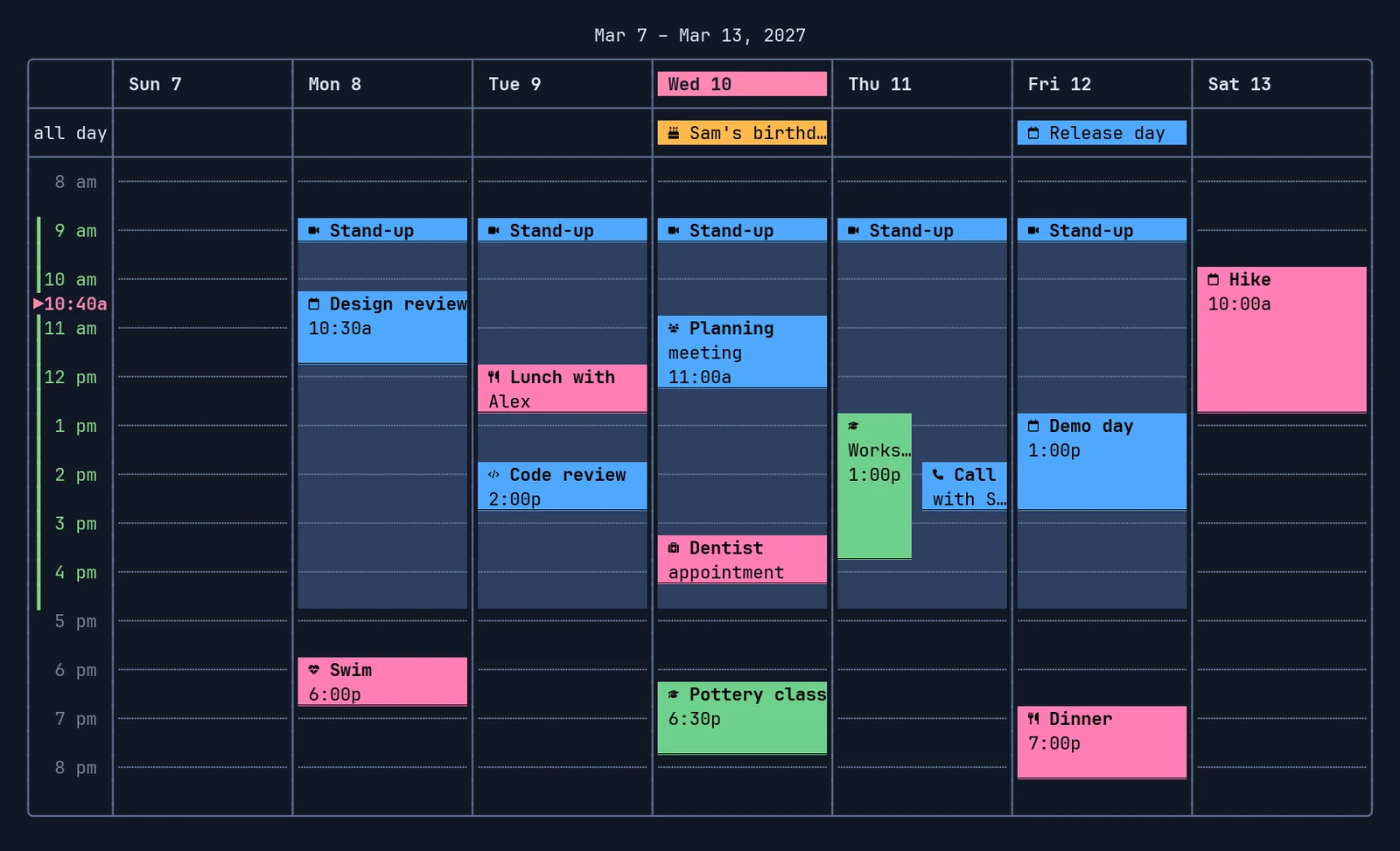
Working hours (9 to 5 on weekdays) are shaded, and anything before or after still shows. If your day is different, set it once:
export CT_WORK=8-16Dates the way you say them
I did not want to remember a date format, so these all work:
ct day
ct tomorrow
ct friday
ct last friday
ct nov 5
ct next weekend
ct next 3 days
ct 2 weeks ago
ct december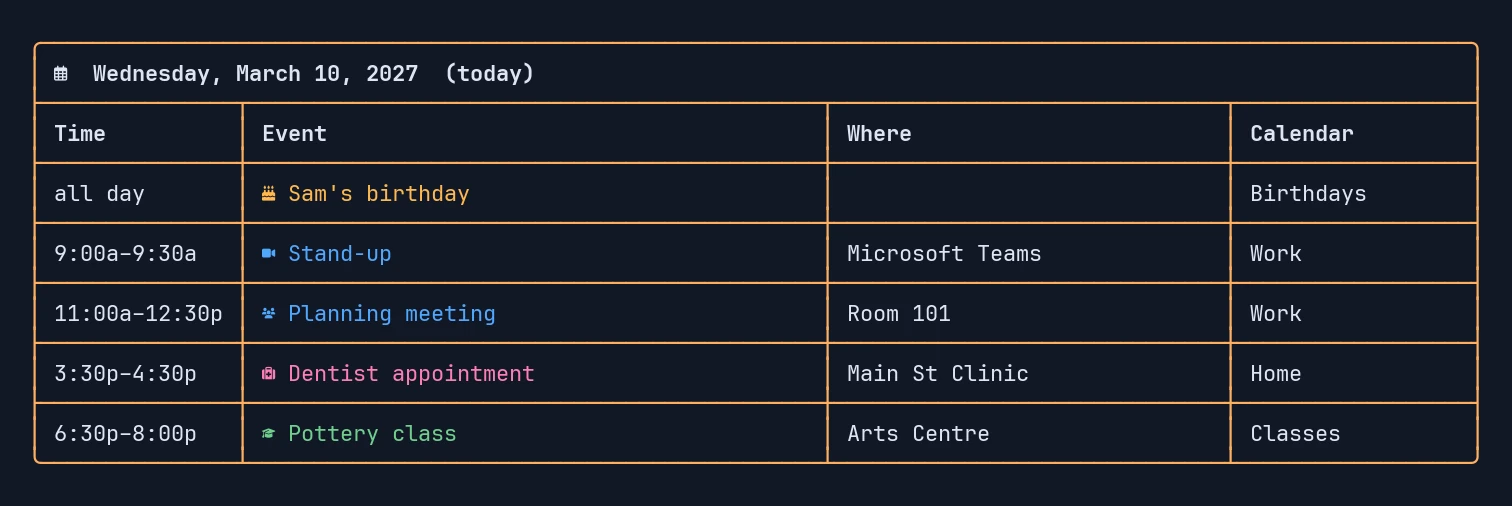
There is no AI model behind this. It is a small parser that runs instantly and offline, and it forgives small typos such as last freiday. I tried Apple's built-in date detector first. It handled many phrases but not that typo, 3 weeks ago or next week. When calTerm does not understand something, it says so instead of guessing. 11/12 is refused, for example, because it could mean two different days.
The month at a glance
Plain ct shows the month. ct +1 is next month and ct -1 is last month.
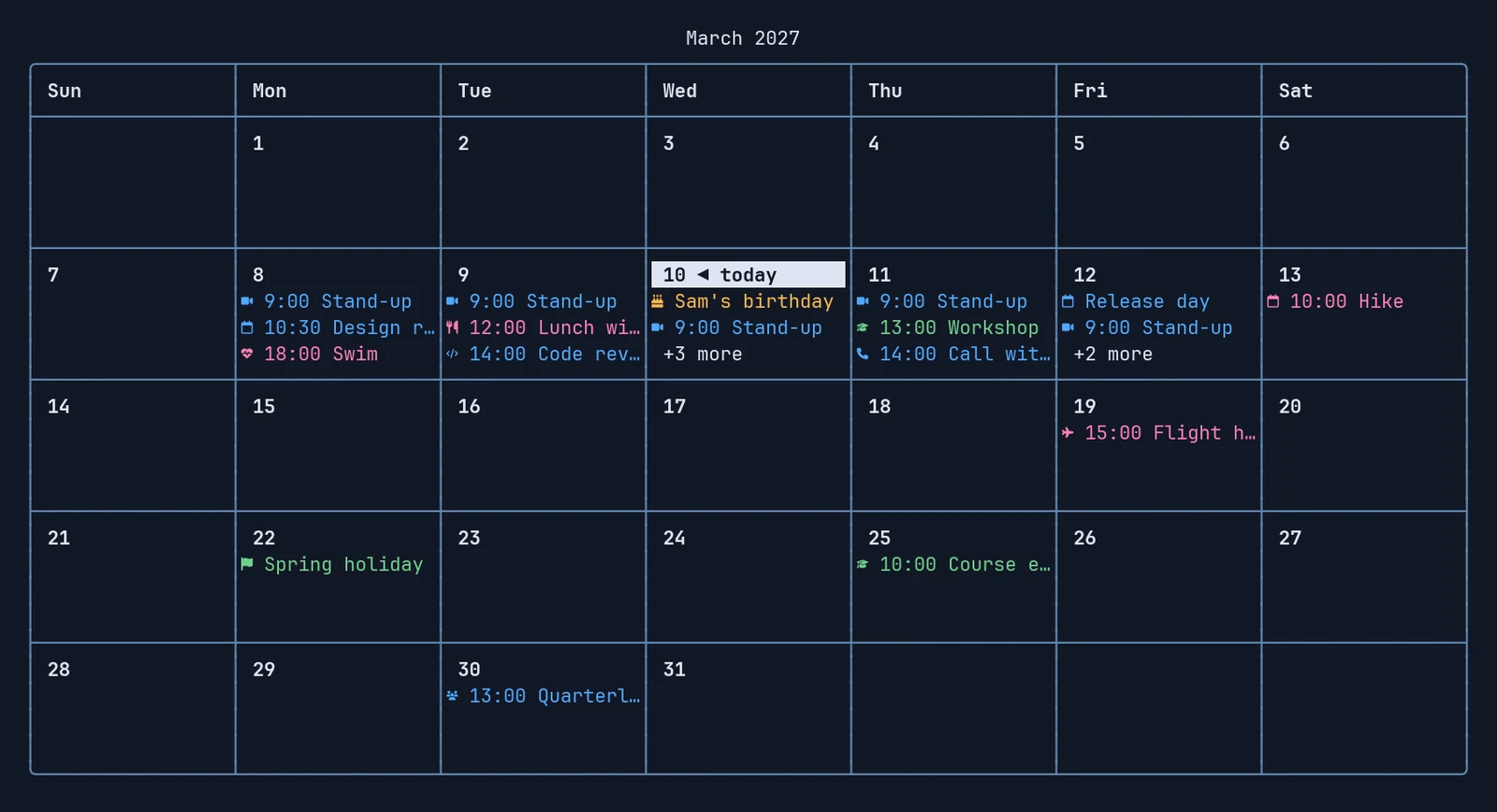
If the same calendar syncs through two accounts, every meeting can appear twice. calTerm merges events with the same title and times, so you see each one once.
A full-screen mode
ct ui is the picture at the top of this post: a mini month, your calendars, the selected day and the event details, with a countdown to whatever is next.
- Arrow keys move by day and week, and
pandnby month Tabpicks an event, andoopens its meeting linkgjumps to a date typed in plain words/searches?shows every key, andqquits
Privacy and limits
A calendar says a lot about a person, so I kept calTerm narrow:
- It only reads events. It cannot create, change or delete them.
- It makes no network requests of its own. Pressing
oopens anhttpslink in your browser, and only when you press it. - Event text often comes from other people's invitations, so control characters are stripped before anything reaches your terminal.
It is early. It is macOS only, it does not add events, and the icons need a Nerd Font (use --no-icons without one). For scripts, add --json.
Try it
The code is on GitHub under the MIT licence: SOFTowaha/calTerm. If a view looks wrong in your terminal, or a date phrase you use is not understood, please open an issue.