Bash One-Liners That Saved My Weekend
It's Saturday. You planned to do nothing. Instead your laptop says the disk is full, a client sent 400 photos named IMG_4012.JPG, and the server logs are 2 GB of text. You could click through all of this. Or you could type four lines and go outside.
Here are the shell one-liners I keep coming back to. They work in bash and zsh on macOS and Linux.
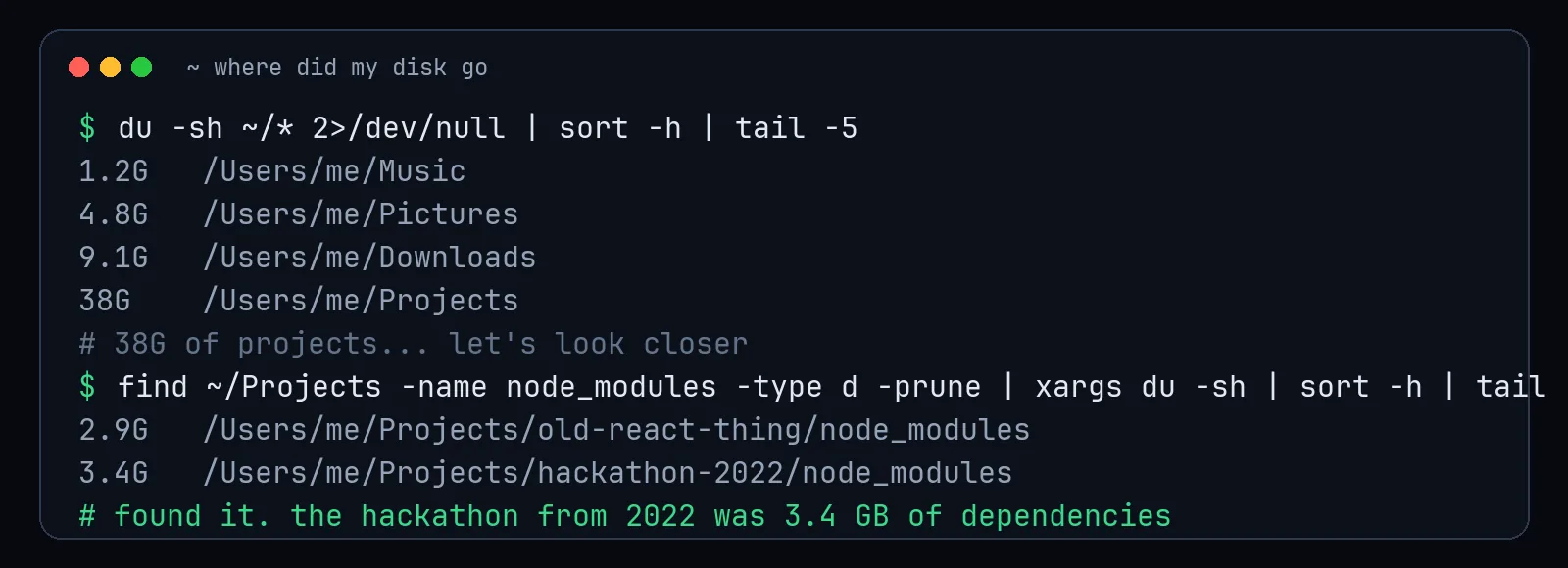
Where did my disk space go?
du -sh ~/* 2>/dev/null | sort -h | tail -10Sizes of everything in your home folder, biggest last. Then dig into the biggest one.
Rename 400 photos with the date in the name
for f in *.JPG; do
  d=$(stat -f "%Sm" -t "%Y-%m-%d_%H%M%S" "$f")   # macOS; on Linux use: date -r "$f" +%Y-%m-%d_%H%M%S
  mv -n "$f" "${d}_${f}"
done
The -n means "don't overwrite," which is the difference between a useful script and a tragic one. Always test renaming loops with echo mv first so you can see what would happen.
Search logs without opening them
# count errors per hour
grep "ERROR" app.log | cut -c1-13 | sort | uniq -c

# show the 20 most common error messages
grep -o "ERROR.*" app.log | sort | uniq -c | sort -rn | head -20

# follow a live log, only showing what you care about
tail -f app.log | grep --line-buffered -i "payment"
sort | uniq -c | sort -rn is the most useful pipeline in computing. It turns any list into a ranked leaderboard. Errors, IP addresses, user agents, words in a novel. It's a tiny data science tool hiding in plain sight.
Find the file you edited "yesterday-ish"
find . -type f -mtime -2 -not -path "*/.git/*"Files modified in the last two days, ignoring the .git folder.
Find text across a whole project
grep -rn "TODO" --include="*.py" .Or install ripgrep and use rg TODO, which is faster and respects .gitignore automatically.
Kill whatever is using port 3000
lsof -ti :3000 | xargs killFor the dev server that refuses to die and insists the port is busy.
Make a quick backup before doing something brave
tar -czf backup-$(date +%Y%m%d-%H%M).tar.gz important-folder/The timestamp in the filename means you'll never overwrite yesterday's backup with today's mistake.
A few safety habits
- Put
echoin front of destructive commands the first time you run them. - Quote your variables:
"$f", not$f. Filenames with spaces will find you. - Never pipe something you don't understand into
sudoorrm -rf. - When a one-liner grows past two pipes and a loop, it wants to be a script with a name and a comment.
The terminal isn't about looking like a hacker in a movie. It's about turning a boring afternoon of clicking into one command you can run again next month. That's not efficiency. That's freedom, with slightly worse font choices.