Git Commands I Pretend to Understand
I have used Git every working day for years. I have taught Git. I have, on at least one occasion, put "Git" on a slide in a lecture hall. And yet there are commands I type the way people say "bless you": automatically, without fully knowing what happens next.
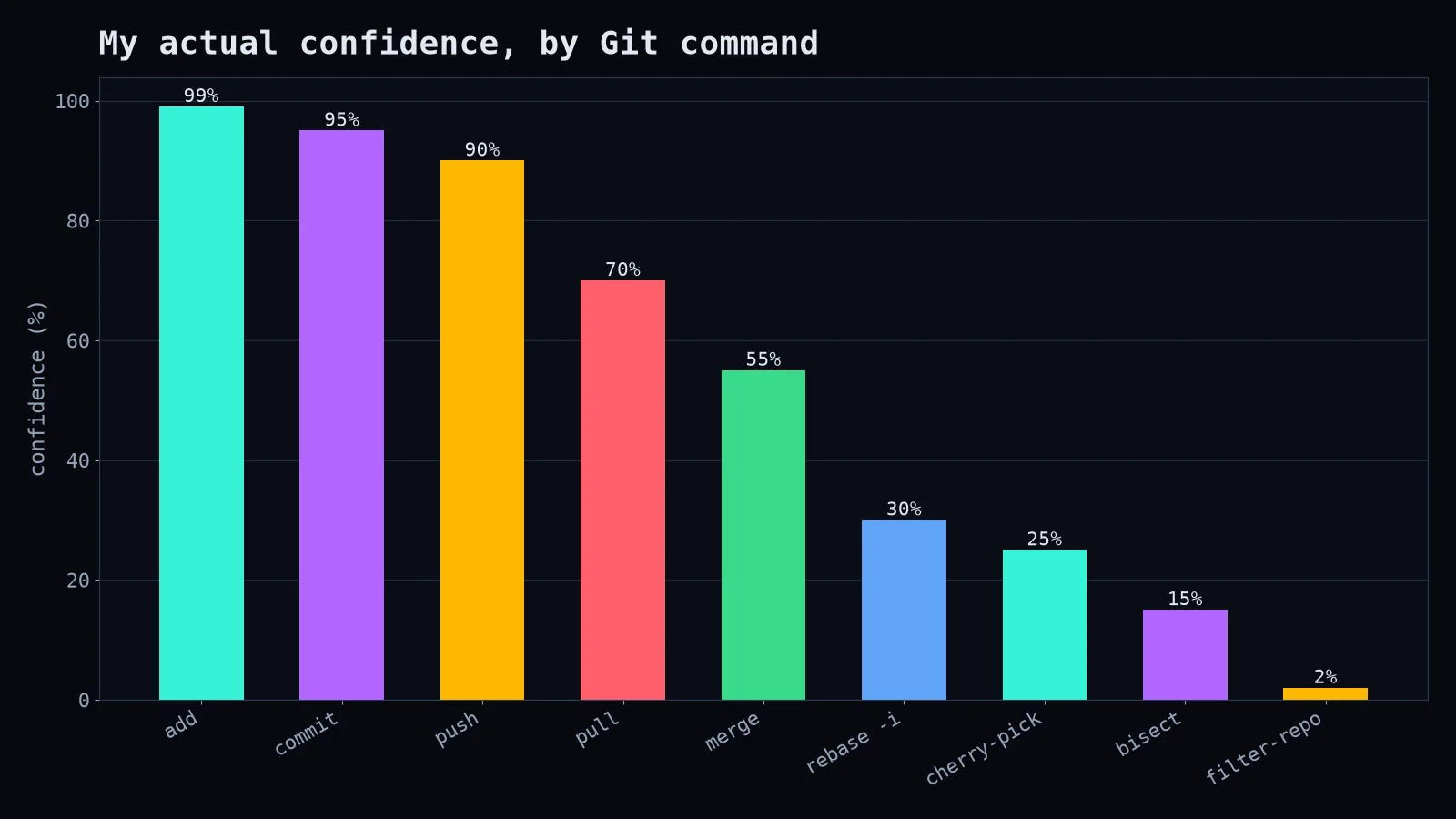
Here's what those commands actually do, written for the version of me who used to copy them from Stack Overflow with a prayer.
git rebase -i: rewriting history, like a politician
Interactive rebase lets you take your last few commits and reorder, squash, edit or delete them before anyone else sees them.
git rebase -i HEAD~4You get a text file listing four commits. Change pick to squash (or s) to fold a commit into the one above it. Change it to reword to fix "asdf" into an actual commit message. Save, close, done.
The golden rule: never rebase commits you've already pushed to a shared branch. Rewriting your own diary is fine. Rewriting the group chat is how friendships end.
git reflog: the black box recorder
This is the command that turns panic into mild embarrassment. Git records every place HEAD has been, even after a reset --hard that "deleted" your work.
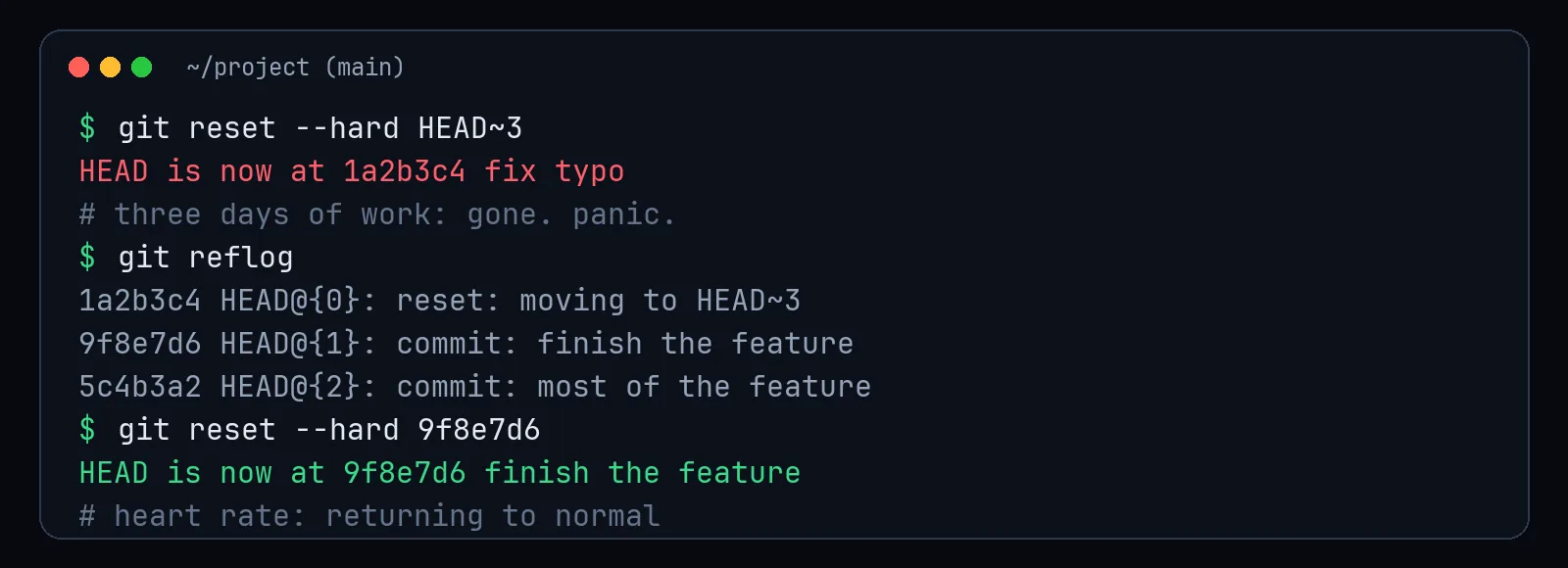
If you've ever thought "I just destroyed three days of work," run git reflog before you run to the window. Unreachable commits typically hang around for about 30 days before garbage collection takes them.
git cherry-pick: commit à la carte
Want one specific commit from another branch without merging the whole thing?
git cherry-pick 9f8e7d6It copies the change as a new commit on your current branch. Great for hotfixes. Terrible as a lifestyle; if you're cherry-picking twenty commits, you wanted a merge.
git bisect: binary search for blame
Something broke between last month and today, and there are 300 commits in between. Bisect does a binary search:
git bisect start
git bisect bad            # current version is broken
git bisect good v2.3.0    # this old version worked
# Git checks out a commit in the middle. Test it, then:
git bisect good   # or: git bisect bad
# ...about 8 rounds later, Git names the guilty commit
git bisect reset
Three hundred commits, eight tests. It is the single most underrated command in Git, and it makes you look like a detective.
git stash: the junk drawer
git stash puts your uncommitted changes in a drawer so you can switch branches. git stash pop takes them back out. The problem is that, like every junk drawer, nobody ever cleans it. Run git stash list right now. I'll wait. Some of you have stashes older than your current job.
The honest takeaway
You don't need to understand all of Git. You need to understand three ideas: commits are snapshots, branches are just labels pointing at commits, and almost nothing is truly deleted for a while. Everything else is vocabulary. And when in doubt, before trying something scary, make a backup branch:
git branch backup-before-i-do-something-sillyFuture you will send a thank-you card.