Portraits with Blurry Backgrounds on a Budget

That dreamy portrait look, with a sharp face and a background melted into soft colour, is called shallow depth of field. The soft, out-of-focus areas are often called bokeh. It looks expensive. It doesn't have to be.

The four things that control background blur
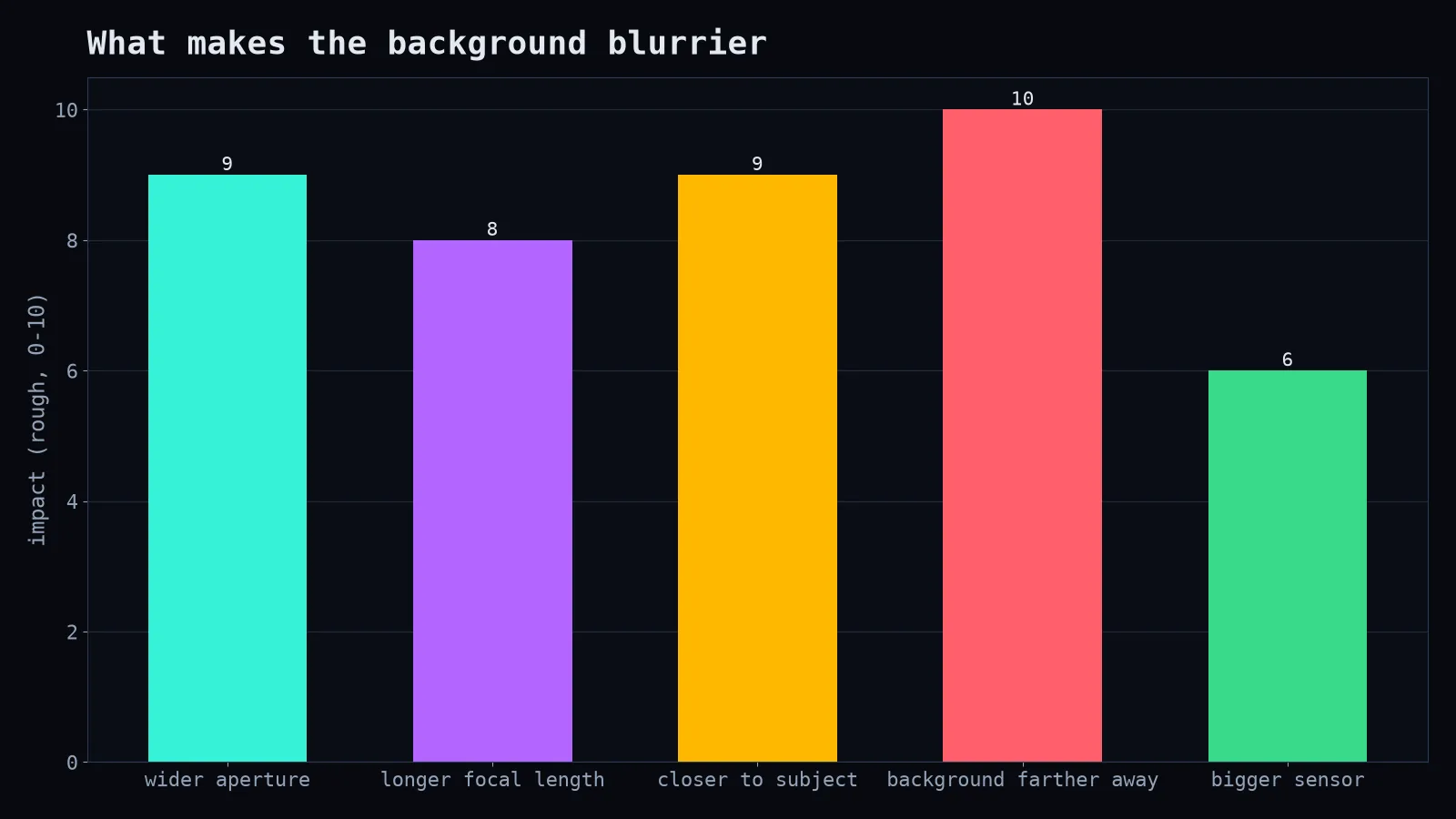
- Aperture. A wider aperture (smaller f-number like f/1.8) means shallower depth of field.
- Focal length. Longer lenses (85mm, 135mm) compress the background and make it look blurrier.
- Distance to subject. The closer you are to your subject, the shallower the depth of field.
- Distance from subject to background. This is the free one, and the most overlooked.
Move your friend away from the wall. If they're standing against a brick wall, nothing will blur it; it's practically in the same plane as their face. Bring them five or ten metres forward, so the background is far behind, and even a modest lens will blur it nicely.
The budget hero: the 50mm f/1.8
For many camera systems, a 50mm f/1.8 lens is one of the cheapest lenses you can buy, and one of the best value. It's sometimes called the "nifty fifty." It gives a wide aperture, decent sharpness and lovely portraits, especially on cameras with crop sensors, where it behaves like a short telephoto.
Settings for a portrait
- Aperture priority mode, f/1.8 to f/2.8.
- Focus on the nearest eye. At wide apertures, focus that lands on the nose or ear is very visible. Many modern cameras have eye-detection autofocus; use it.
- Fast enough shutter speed to avoid blur (1/200s is a safe start for people).
- Let ISO rise if needed.
Careful: at f/1.8 up close, the depth of field can be just a few centimetres. If you're photographing two people, stop down to f/2.8 or f/4 so both faces are sharp.
Making the background beautiful, not just blurry
- Look for light behind the subject: fairy lights, sunlight through leaves, city lights at night. Out-of-focus points of light turn into soft circles.
- Avoid bright distracting patches right next to the head.
- Watch for things "growing" out of heads. Even blurred, a lamp post directly behind someone looks like an unfortunate hat.
On a phone
Phones use "portrait mode," which simulates blur with software and depth data. It's improved a lot, but check edges around hair and glasses, where the effect can look cut out. Distance still helps: a real distance between subject and background makes the software's job easier and the result more natural.
The point of blur
Background blur isn't just pretty. It's a way of saying "this is what matters." You're removing distractions and directing attention, the same goal as every other composition technique. And the most powerful tool for it costs nothing: ask your subject to take a few steps forward.