Pandas Tricks That Make You Look Like a Wizard

There are two kinds of pandas notebooks. The first has 60 cells named df2, df3, df_new, df_final and df_final2, and only its author knows which one is real. The second reads like a recipe. Here's how to write the second kind.
1. Method chaining
Instead of creating a new variable after every step, chain the steps:
summary = (
    orders
    .query("status == 'paid'")
    .assign(month=lambda d: d["date"].dt.to_period("M"))
    .groupby("month")
    .agg(revenue=("total", "sum"), orders=("id", "count"))
)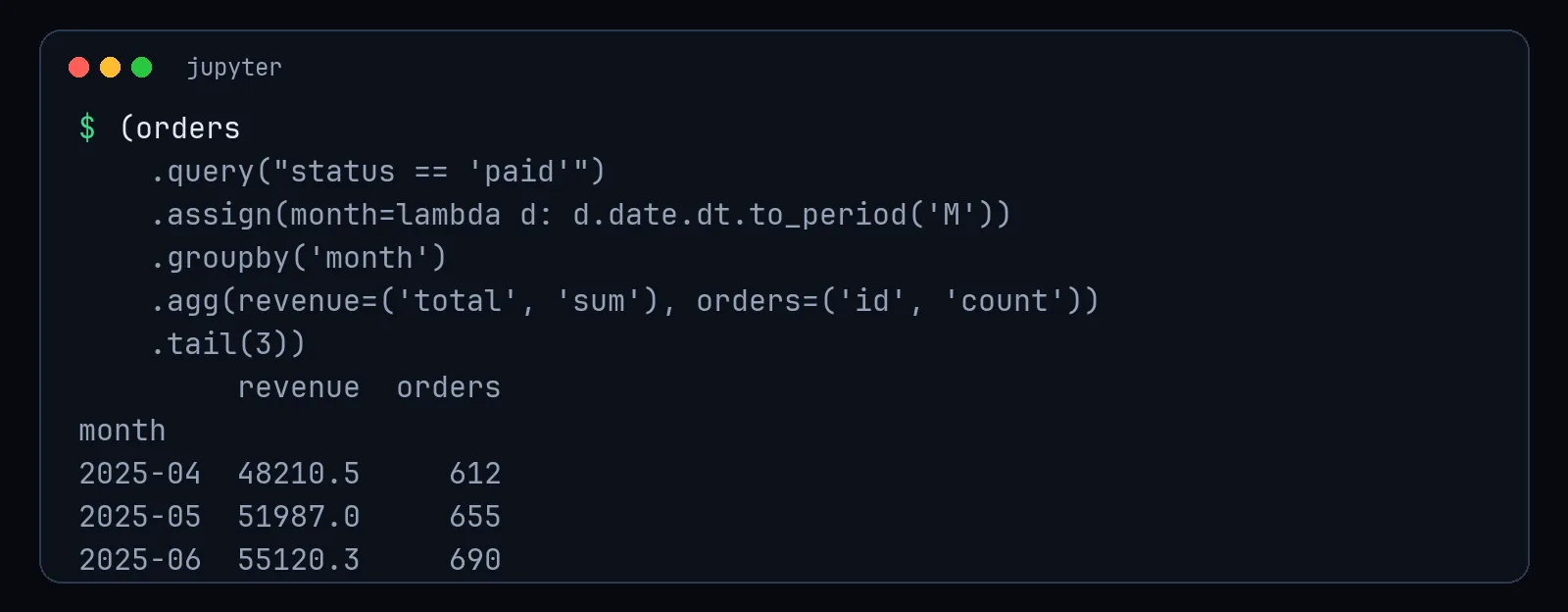
Wrap the chain in parentheses and put one step per line. It reads top to bottom: filter, add a column, group, summarise.
2. query() for readable filters
df.query("country == 'Canada' and age >= 18 and spend > @threshold")The @ lets you use a Python variable. Compare that with df[(df["country"] == "Canada") & (df["age"] >= 18) & (df["spend"] > threshold)], which has more brackets than a maths exam.
3. assign() for new columns inside a chain
df.assign(
    price_with_tax=lambda d: d["price"] * 1.15,
    is_big_order=lambda d: d["price"] > 500,
)
The lambda d: refers to the DataFrame at that point in the chain, so you can use columns created earlier in the same chain.
4. Named aggregations
df.groupby("category").agg(
    avg_price=("price", "mean"),
    max_price=("price", "max"),
    n_products=("sku", "nunique"),
)
Clear column names, no multi-level column headers to untangle.
5. value_counts(normalize=True)
df["plan"].value_counts(normalize=True).round(3)Instant percentages. Add dropna=False to see how many values are missing, which is often the most interesting row.
6. pipe() for your own functions
def remove_test_accounts(d):
    return d[~d["email"].str.endswith("@example.com")]

clean = raw.pipe(remove_test_accounts).pipe(fix_dates).pipe(add_features)
Each cleaning step becomes a named, testable function. Your analysis becomes a pipeline you can rerun next month.
7. Use proper dtypes
df["plan"] = df["plan"].astype("category")       # much less memory
df["signup"] = pd.to_datetime(df["signup"])       # real dates, real date maths
Strings that should be dates are the source of half of all pandas confusion.
8. merge(..., validate=...)
orders.merge(customers, on="customer_id", how="left", validate="many_to_one")If customers accidentally has duplicate IDs, this raises an error instead of silently duplicating your orders. It's the cheapest bug prevention in all of pandas.
9. Don't loop over rows
If you write for i, row in df.iterrows():, there's usually a vectorised alternative that's dozens or hundreds of times faster. np.where, .str methods, .dt methods and .map cover most cases.
The real wizardry
None of these are advanced. The wizardry is consistency: readable chains, named steps and checks that fail loudly. Your colleagues won't think you're a genius because the code is complicated. They'll think you're a genius because they can understand it on the first read. Which, honestly, is rarer.