Docker for People Who Just Want It to Work on Their Machine
"It works on my machine" used to be a joke. Docker turned it into a business model: fine, we'll ship your machine.
That's honestly the best one-line explanation of a container. It's your app plus everything it needs to run (the right Python version, the libraries, the system packages) wrapped up so it runs the same way on your laptop, your colleague's laptop and a server in another country.
Container vs virtual machine
A virtual machine pretends to be an entire computer, including its own operating system kernel. A container shares the host's kernel and only packages the user-space bits. That's why containers start in milliseconds and VMs start in "go make tea."
A Dockerfile you can actually use
FROM python:3.12-slim

WORKDIR /app

# dependencies first: this layer is cached until requirements.txt changes
COPY requirements.txt .
RUN pip install --no-cache-dir -r requirements.txt

# then your code, which changes often
COPY . .

EXPOSE 8000
CMD ["gunicorn", "-b", "0.0.0.0:8000", "app:app"]
docker build -t myapp .
docker run -p 8000:8000 myappOpen localhost:8000. That's it. That's the magic.
The one idea that makes builds fast
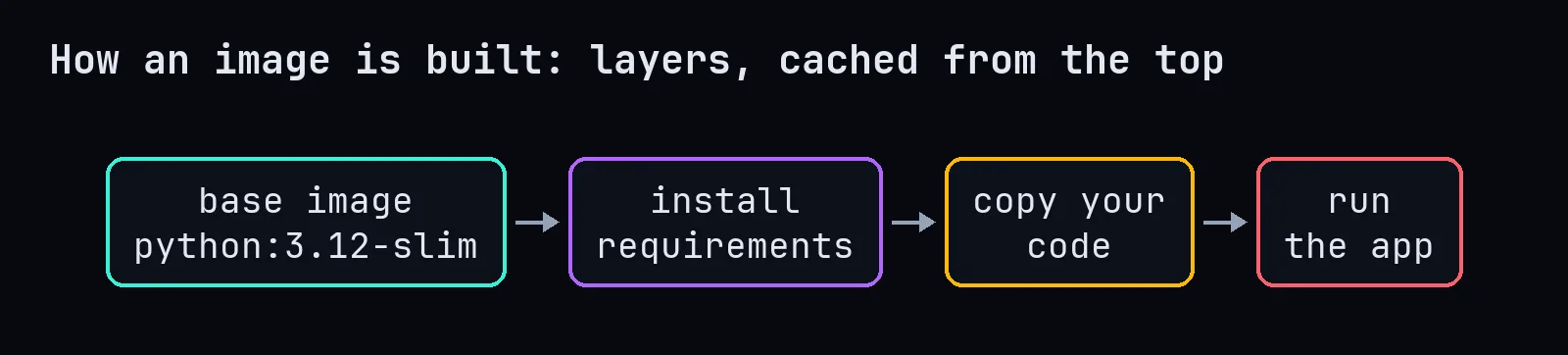
Every instruction in a Dockerfile creates a layer, and Docker caches layers. If you copy your whole project before installing requirements, every tiny code change invalidates the cache and reinstalls every library. Copy requirements.txt first, install, then copy the code. Builds go from four minutes to four seconds, and you feel like a genius.
Pick a smaller base image
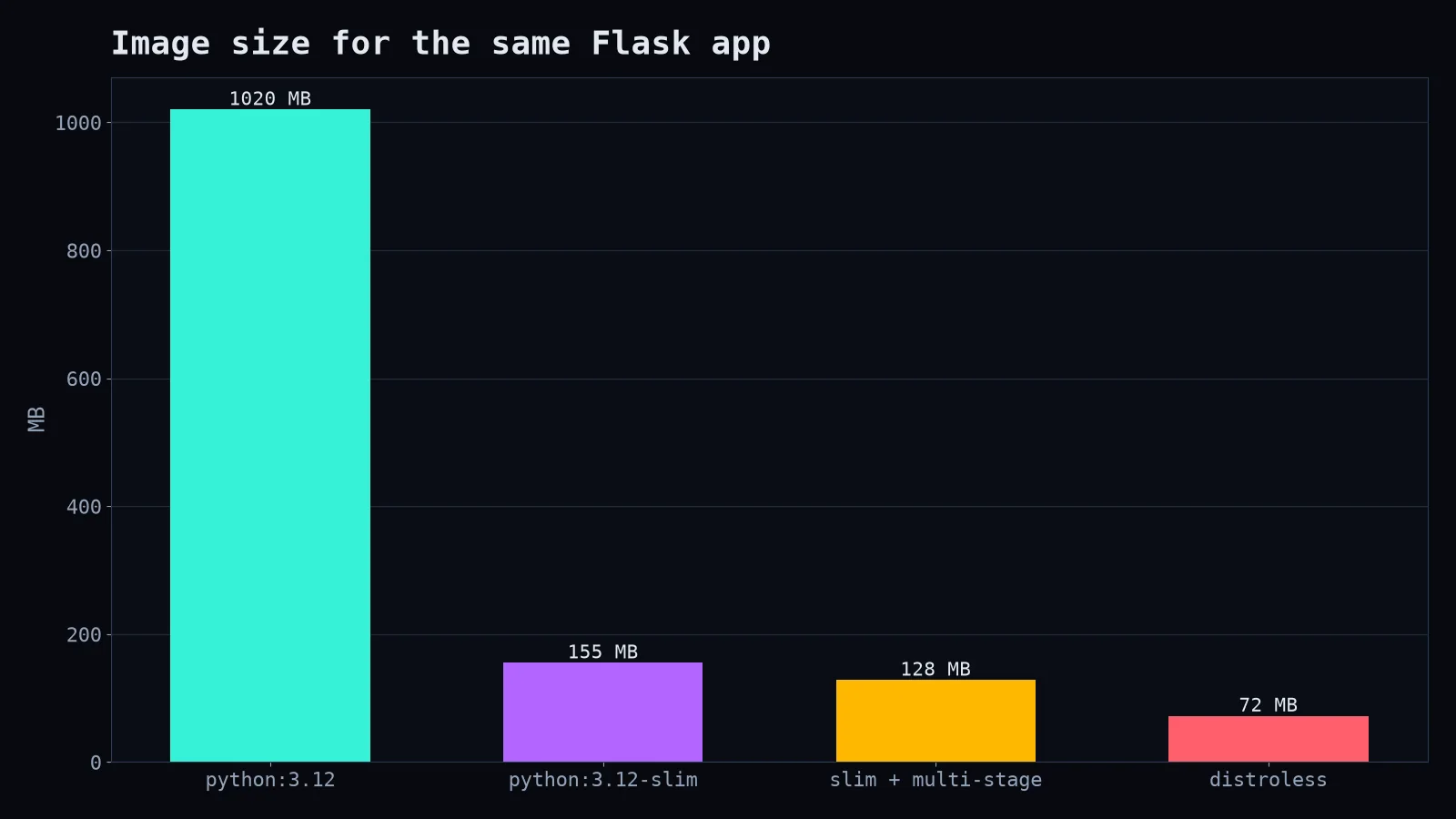
The default python image includes compilers and tools you probably don't need in production. -slim variants are a fraction of the size. Smaller images download faster, start faster and have fewer packages for security scanners to panic about.
Mistakes everyone makes once
- Baking secrets into the image. Anything you
COPYis in the image forever, even if you delete it in a later layer. Pass secrets at runtime with environment variables or a secrets manager. - Forgetting
.dockerignore. Without it, you'll copynode_modules,.gitand your 2 GB of test data into the build context. Add a.dockerignore, same idea as.gitignore. - Running as root. Add a user and switch to it. It's three lines and it makes security people smile.
- Storing data inside the container. Containers are disposable. Databases belong on volumes.
When you don't need Docker
A static website? A single script you run once a week? You probably don't need containers. Docker shines when you have dependencies, multiple services, or teammates on different operating systems. Use it to remove friction, not to add ceremony. Nobody gets promoted for containerising hello.py.